Covers:
- Fault Tolerance
- Self-healing
Failures in Distributed Systems
"Failures are Inevitable”
Few areas where failures can occur
- hardware fails
- software fails
- network fails
Chance of failure becomes "multiplied" in Distributed systems
Cascading Failures
"... a failure in a system of interconnected parts in which a failure of a part can trigger the failure of successive parts" - Wikipedia
Multiple issues due to cascading failures:
- fault tolerance problem
- resource overloading problem
Solutions:
- Learn to embrace failures:
- Tolerate failures
- Gracefully degrade : examples are, empty/null/dummy response instead of failure.
- Limit resource consumed
- Constrain usage : put limited resources and not allowing requests stacking up.
Circuit Breaker Pattern
"... a design pattern in modern software development used to detect failures and encapsulates logic of preventing a failure to reoccur constantly ..." - Wikipedia
Netflix Hystrix
Hystrix is a latency and fault tolerance library designed to stop cascading failure and enable resilience in complex distributed systems where failure is inevitable.
Implements the circuit breaker pattern:
- Wraps calls and watches for failures
- 10 sec rolling window : Detects failures within a “10 sec rolling window”
- 20 request volume : Request should be at least 20 requests
- >= 50% error rate : Circuit tripped when >= 50% are errors in a rolling window
- Waits & tries a single request after 5 sec : Waits and tries a single request every 5 sec and determines whether to close the circuit
- Fallbacks : Short-circuited, timed-out, rejected or failed requests results in “fallbacks”
Protects services from being overloaded:
- Thread pools, semaphores, & cascading failures : If no resource is available (in threadpool) all the subsequent requests fail immediately with a fallback
Using Spring cloud + Netflix Hystrix
Application.java
@SpringBootApplication
@EnableCircuitBreaker // <----
public class Application {
    public static void main(String args...) {
        SpringApplication.run(Application.class, args);
    }
}
Service.java
@Service
public class Service {
    @HystrixCommand(fallbackMethod = "somethingElse")
    public void doSomething() {
        // ...
    }

    public void somethingElse() {
        // ...
    }
}
NOTEs:
- If you want hystrix metric as well, add spring-boot-actuator dependency as well.
- Be careful with Hystrix timeouts:
- Ensure timeouts encompass caller timeouts plus any retries
- Default:
1000ms hystrix.command.default.execution.isolation.thread.timeoutInMilliseconds=<timeout_ms>
Hystrix Dashboard
Tracks metrics such as:
- Circuit state
- Error rate
- Traffic volume
- Successful requests
- Rejected requests
- Timeouts
- Latency percentiles
Monitor protected calls:
- Single server or cluster
To use is, just add a dependency and add an annotation:
@SpringBootApplication
@EnableHystrixDashboard // <----
public class Application {
    public static void main(String args...) {
        SpringApplication.run(Application.class, args);
    }
}
Reading Hystrix Dashboard
Dashboard signals
AI-generated
Opening the legacy dashboard
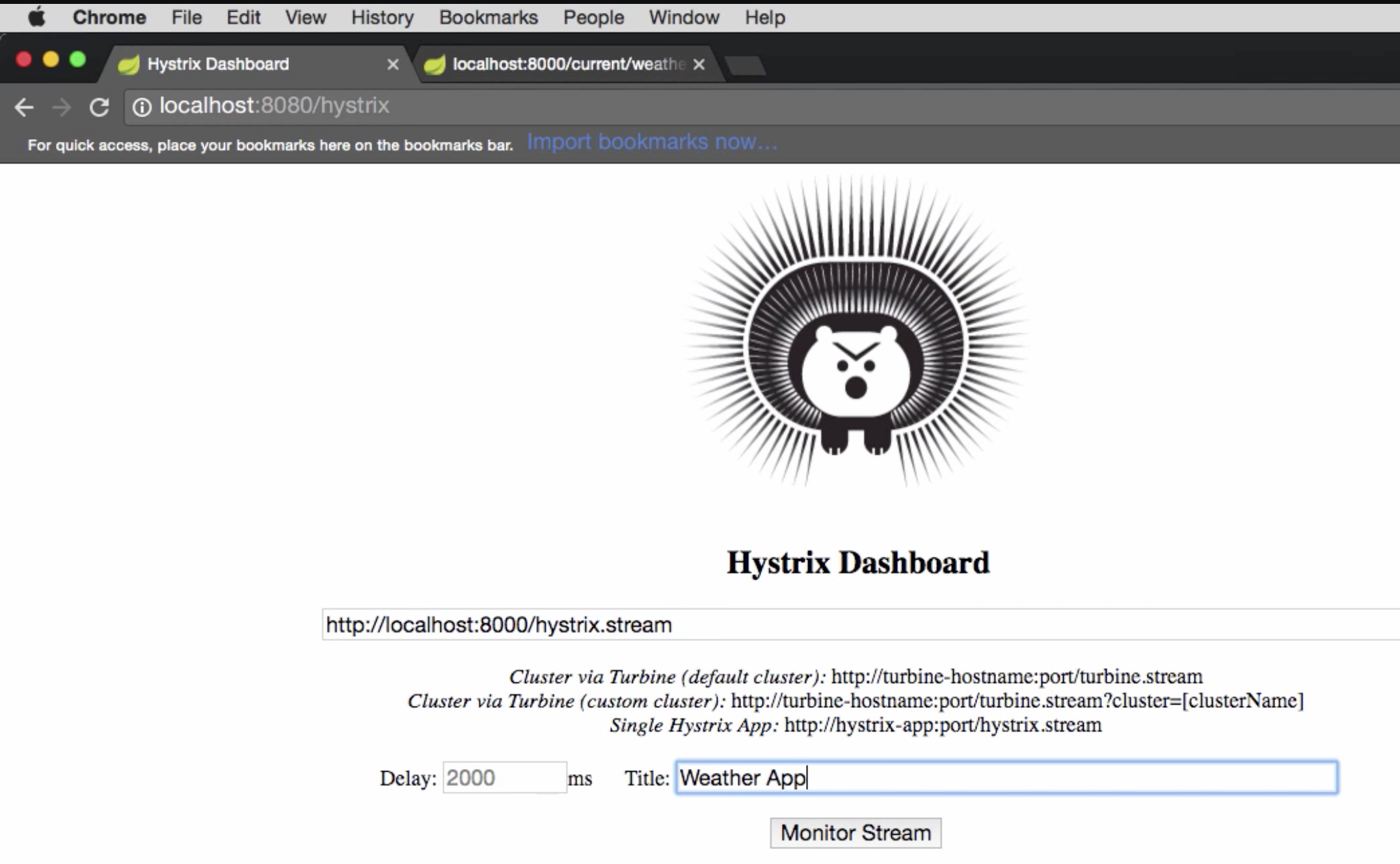
- Start a standalone hystrix server (just like standalone discovery server)
- Put a server’s /
hystrix.streamendpoint - Give a name
Netflix Turbine
"Turbine is a tool for aggregating streams of Server-Sent Event (SSE) JSON data into a single stream..."
Why?
- Hystrix stream is for a service
- To track multiple services, we need to open multiple dashboards and track them independently.
Using Spring cloud + Netflix Turbine
Application.java
@SpringBootApplication
@EnableTurbine
public class Application {
    public static void main(String args...) {
        SpringApplication.run(Application.class, args);
    }
}
application.properties
turbine.app-configs=<list_of_service_ids>
turbine.cluster-name-expression='default'
OR application.yml
turbine:
  appConfig: <list_of_service_ids>
  clusterNameExpression: "'default'"